Make your
AI Slop stable.

Turn critical user journeys into repeatable Playwright tests with your coding agent. Run them on demand, on a schedule, or after deployments—and investigate failures with browser evidence.

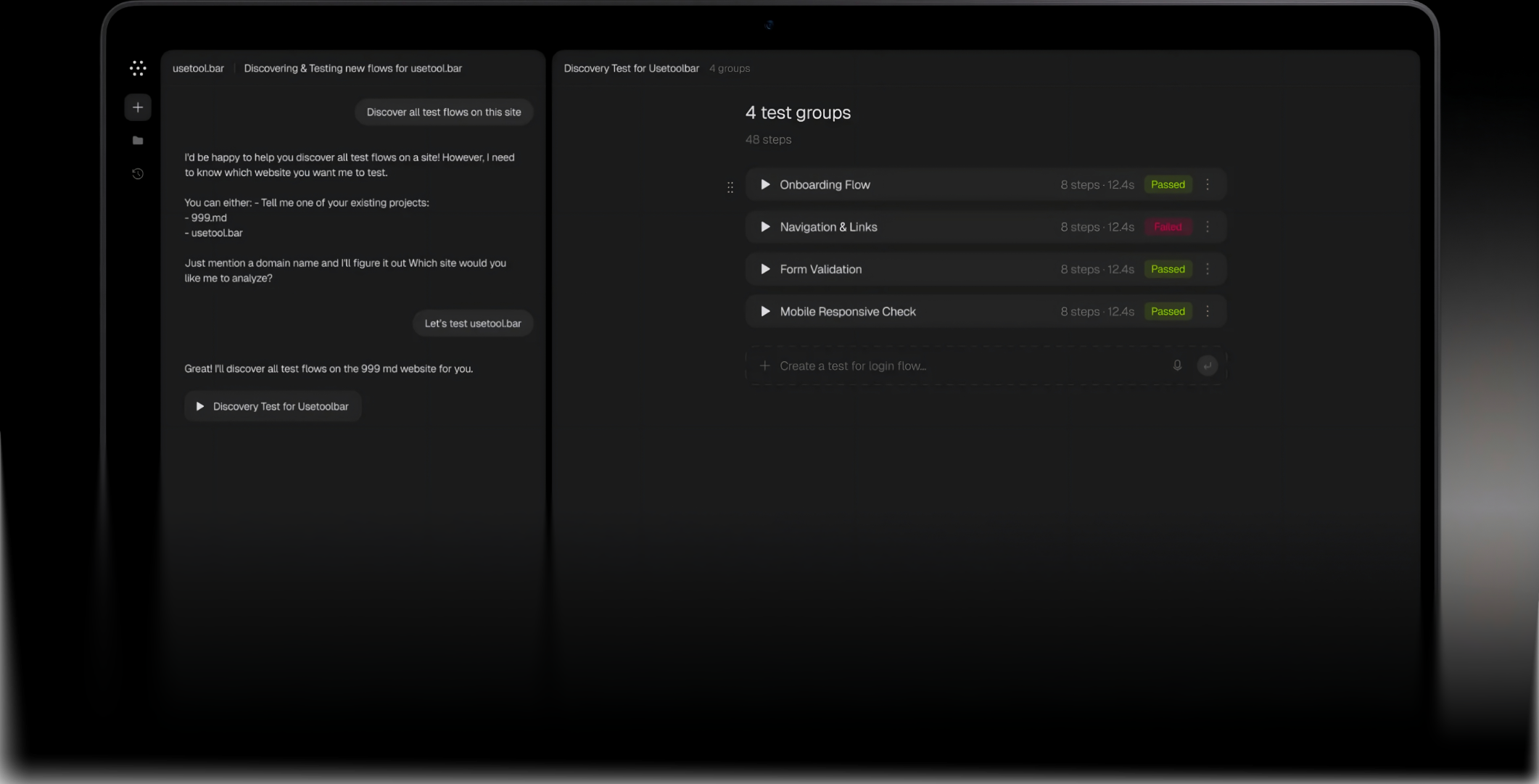
Toolbar test dashboard with saved user journeys and run results

AI made shipping faster.
Regression risk exploded.

More code means more behavior to verify. Toolbar helps you turn important user journeys into saved tests your team can run as the product changes.

Book demo30-minute intro
  • Describe

    Tell your coding agent what users should be able to do and what success looks like.

  • Create & validate

    Your agent investigates the app, writes Playwright tests, and checks them through Toolbar.

  • Run & maintain

    Save tests, schedule runs, and use failure evidence to investigate and validate updates.

How it works

  • Connect your coding agent. Connect through MCP and choose your Toolbar project. Your agent can use application code when available or investigate through the browser. A GitHub repository is optional.
  • Describe critical journeys. Start with existing test cases or explain the behavior you want checked: signing up, completing checkout, or inviting a teammate. Include the expected result and any necessary test access.
  • Create and validate Playwright tests. Your agent writes the actions, locators, and assertions, then runs the test through Toolbar. Save the validated version for future runs.
  • Run as you ship. Run saved tests on demand or on a schedule. With the appropriate integrations configured, trigger checks when Vercel previews are ready or after merged changes are deployed.

You stay in control

  • Define what matters. Your instructions define the behavior to test. Review the test intent, inspect the Playwright source, and refine coverage with your coding agent.
  • Keep saved versions you can trace. Toolbar stores versioned tests and shared helpers. Run history connects results to the automation that executed, so you can investigate the version that actually failed.
  • Choose how maintenance works. Update tests with your agent or enable automatic maintenance. Toolbar validates repair candidates before saving eligible changes or opening a GitHub PR, depending on your project settings. Some failures still need human input or application fixes.
  • Choose where tests live. Store tests in Toolbar, or enable repository storage to also manage test changes through GitHub pull requests. With GitHub connected, you can also enable test updates based on application PRs.

Understand what failed

  • Inspect the evidence. Open a failed run to inspect recorded steps, screenshots, and available Playwright traces. Give your coding agent the evidence to investigate whether the problem is in the application, the test, or its setup.
  • Validate proposed repairs. Check updates against the intended behavior before changing the saved test. A passing run alone does not prove complete coverage.

What you can cover

  • Signup, login, and account recovery
  • Checkout and billing flows in test environments
  • Onboarding and team invitations
  • Creating, editing, and saving important application data
  • Critical journeys affected by refactors or AI-generated changes
  • Features that need repeatable regression checks

Coverage depends on the journeys and assertions you define, with the required accounts, data, and environment configured.

Pricing

Run your testing with Toolbar, or let our team handle it for you.

Platform

$47/month

All standard Toolbar features. Create and automate tests with your coding agent.

  • AI-assisted test generation
  • MCP connection for your coding agent
  • Saved Playwright tests, helpers & version history
  • Automated runs & schedules
  • GitHub preview & deployment checks
  • Automatic test maintenance workflows
  • Run history, screenshots & traces
Sign up

Managed tests

Custom

Our team handles your browser testing—from planning coverage to maintaining tests and reporting bugs.

  • Everything in Toolbar
  • Test planning around your critical journeys
  • Tests created and validated by our team
  • Scheduled and release testing handled for you
  • Ongoing test maintenance as your app changes
  • Failure investigation and verification
  • Bug reports with evidence & reproduction steps
Book demo

Your external coding agent is billed separately by its provider. Managed testing scope and pricing are tailored to your app and release needs.

FAQ

You can describe the flow and expected result to your coding agent. The agent writes the Playwright code and validates it through Toolbar. You can inspect the source and refine it when needed.

Yes. Playwright tests use locators and assertions to interact with your app and check results. Your coding agent handles that authoring work, so you don’t have to hand-write every locator.

Investigate failures with your coding agent, or enable automatic maintenance. Toolbar validates repair candidates before saving eligible updates or opening a GitHub PR. Some failures still need human input or application fixes.

Your agent helps create and update tests. Toolbar gives them a persistent home, repeatable execution, schedules, shared project context, and run evidence your team can review.

No. You can store and run tests through Toolbar without an application repository. GitHub enables additional workflows, including repository storage and test maintenance from application pull requests.

Run tests manually or on a schedule. Configured GitHub and deployment integrations can also trigger runs when Vercel previews are ready or after merged changes are deployed.

Yes, with suitable test accounts and access configured. Some flows also need prepared data, an authenticated session, or a one-time verification step. Billing and checkout should use a test environment.

Localhost testing requires a connected local runner and additional setup. Ask us about local-runner access during early-access onboarding. Portable saved tests can then run against your local app as well as deployed targets.

Test runs execute saved Playwright code with explicit actions and assertions. Your coding agent helps with authoring and updates.